


SchoolCafé
3.31.38K Reviews
App Specs
- Version
- 16.4
- Updated On
- License
- Free
- Downloads
- 500,000+
- Developer
- Cybersoft PrimeroEdge
- Categories
- Education
- Platform
- Android
Screenshots
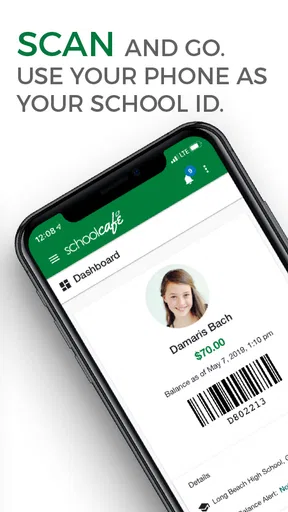
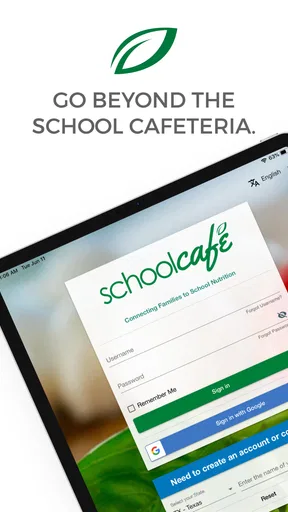
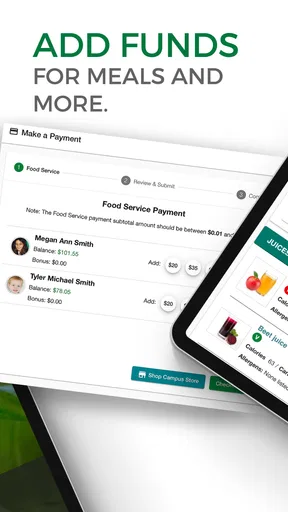
 Analysis by AppCompare
School meals are easy to overlook until a morning becomes rushed, a child needs money for lunch, or a parent wants to understand what is being served. I found that SchoolCafé is most useful when treated as a practical family connection to school nutrition rather than as a complete school-management app. Its central value is bringing meal-related information into one place, so families can spend less time searching through school notices, paper menus, or separate payment routines.
That focus makes it different from broad school communication apps. Those platforms may cover attendance, grades, messages, and calendars, while SchoolCafé stays close to the cafeteria side of school life. In my experience, that narrower purpose is both its strength and its limitation. If your main concern is school meals, the app can simplify a recurring task. If you expect one app to organize every part of your child’s school day, it will feel limited.
SchoolCafé puts the cafeteria routine in one place
The app comes from Cybersoft PrimeroEdge and belongs to the education category. It is free to use, carries an Everyone age rating, and supports devices running Android 6.0 or later. The current version is 16.4, while the app has been available since July 31, 2016. Those details matter because families often use older phones, and compatibility with an older Android release can make the difference between a practical tool and an unusable one.
Its audience is straightforward: parents, guardians, and students who need a clearer way to stay connected with school nutrition. The app has passed half a million installs, with an average rating of 3.4 from roughly three thousand ratings and about one and a half thousand written reviews. That combination suggests a useful but not universally smooth experience. I would not install it expecting perfection, but I would consider it when a child’s school or district relies on SchoolCafé for meal information.
The most important point is that the app’s usefulness depends on the school system behind it. SchoolCafé is not a replacement for a cafeteria, a school office, or a district’s own policies. It acts as a digital access point for the nutrition information made available to families. When that information is current and well organized, the app can reduce small daily uncertainties. When a school does not use the relevant parts of the service consistently, the experience naturally becomes less valuable.
I see this as a “routine support” app. It is not something most people open for entertainment or extended browsing. Instead, it earns its place by answering practical questions at the moment they arise: what is available, how does the family stay connected to school nutrition, and where should a parent look before contacting the school directly? That modest role is worth understanding before downloading it.
The real capability: connecting families with school nutrition
The strongest capability is the connection between home and the school meal service. That sounds simple, but it addresses a real gap. Cafeteria information can otherwise be scattered between printed menus, classroom reminders, district pages, and messages from school staff. A dedicated nutrition app gives families a more focused place to check the information related to meals.
Worth Reading Before You Choose

EA SPORTS FC Mobile 26 Is a Bigger Football Game, but It Takes Time

Flipboard Shows What News Apps Must Do Beyond the Feed

Switching to Android Auto Means Rethinking Your Driving Routine

Google Calendar Makes a Crowded Week Easier to Manage

Ludo King Makes the Most of the Minutes Between Plans

Baby Panda World Brings Quick Play to Modern Phones, but Its Game Library Feels Busy
For me, the benefit is not that the app makes lunch decisions exciting. The benefit is that it can turn a vague question into a quick check. A parent preparing for the next school day may want to know what the cafeteria is offering. A student may want to understand the available meal choice before leaving home. A guardian managing more than one child may appreciate having nutrition details accessible without digging through unrelated school announcements.
This is also where the app compares favorably with a general web browser. A district website may contain the same kind of information, but finding it can require several taps, a search, or remembering which school page contains the menu. A browser is more flexible, yet that flexibility often creates extra work. SchoolCafé’s focused purpose can make the repeated task easier, provided the local school information is connected properly.
Compared with a general school-family platform, the trade-off goes in the opposite direction. A broad platform is better for checking grades, attendance, teacher messages, or school calendars. SchoolCafé is better when the question is specifically about nutrition. I would use both if the school supports both, rather than expecting one to replace the other.
The app is most valuable when it removes a repeated search, not when it tries to become the family’s entire school dashboard. That distinction helped me judge it more fairly. Its success should be measured by whether meal-related information is easier to reach, not by whether it offers every feature found in a full school communication system.
How the experience fits into an ordinary school morning
Imagine a parent getting children ready on a busy weekday. One child is asking what lunch will be like, another needs a reminder about school, and there is no time to search through old messages. Opening SchoolCafé before leaving home can provide a focused check of the school nutrition information available through the service. That small step can help the family decide whether the child will use the cafeteria or bring food from home.
The practical advantage is strongest when checking becomes habitual. Rather than waiting until a child is already at school, a parent can make the app part of the evening or morning routine. I would check it at the same time as preparing backpacks, especially if meal choices affect what a child needs to bring. This is a better use of the app than opening it randomly and expecting it to provide broader school updates.
Families with multiple children may also benefit from treating the app as a central reference point. The key is to verify each child’s school context carefully instead of assuming that one school’s information applies to another. A parent with children in different schools should slow down during setup and review the displayed school information before relying on it. That is a small but important habit, because convenience is only helpful when the right school is being checked.
Another useful workflow is to use the app before contacting the cafeteria or school office. If the question is covered by the nutrition information shown there, the answer may be available immediately. If it is not, the parent can contact the right office with a more specific question. In that sense, the app can reduce unnecessary back-and-forth, even though it cannot resolve every school-specific issue on its own.
I would not treat the app as the final authority for urgent or unusual situations without checking the school’s direct communication. Meal schedules can change, and individual schools may have procedures that families need to follow outside the app. The sensible approach is to use SchoolCafé for routine reference and rely on the school for exceptions, corrections, or matters requiring personal assistance.
Where the focused design helps most
The best scenario is a household where school meals are a frequent source of small confusion. Perhaps a child is selective about food, a parent wants to plan packed lunches around cafeteria offerings, or several children attend schools with different nutrition schedules. In these cases, a dedicated app can be more convenient than repeatedly navigating a district website.
It can also help a parent who is not usually the person handling school routines. A grandparent, babysitter, or co-parent may need a quick way to understand the meal information without learning the entire school website. The app’s narrow purpose makes the learning curve more manageable than a platform filled with unrelated school tools.
Students who are old enough to take more responsibility for their school day may find value in checking meal information themselves. I would still encourage parents to remain involved when food needs, allergies, account questions, or school-specific arrangements are important. The app can support independence, but it should not be mistaken for personal guidance from school staff.
A particularly good use is planning around a child’s preferences without turning every morning into a negotiation. A parent can check the cafeteria information ahead of time, discuss the options with the child, and prepare an alternative when needed. This makes the app part of a broader household decision rather than a last-minute rescue tool.
Another non-obvious benefit is reducing dependence on memory. Parents often remember that a menu exists but not where they saw it or which school page contained it. A dedicated nutrition app gives that task a consistent home. The time saved may be small on any single day, but repeated school routines are exactly where small reductions in friction become noticeable.
Trade-offs I noticed before depending on it
The first trade-off is scope. SchoolCafé is not the right choice for someone looking for a unified academic dashboard. It should not be judged against apps designed around grades, attendance, homework, or teacher communication. If those are your priorities, a school’s main family portal will likely be more important, while SchoolCafé remains a specialist companion for nutrition-related information.
The second trade-off is local dependence. The app’s usefulness is tied to what a participating school or district makes available through it. A beautifully organized interface cannot compensate for information that is incomplete, outdated, or not connected to the family’s school. Before building a daily routine around it, I would open the app and confirm that the relevant school information appears correctly.
There is also a difference between convenience and certainty. Seeing meal information in an app is convenient, but a parent may still need to confirm unusual changes directly with the school. I would be especially careful around schedule changes, special events, or questions involving a child’s individual circumstances. The app works best as a first reference point, not as permission to ignore direct school instructions.
The average rating of 3.4 indicates that the experience has not been equally satisfying for everyone. I interpret that as a reason to keep expectations practical. Some users may find the app exactly adequate for checking school nutrition information, while others may encounter friction related to their school setup or personal workflow. Because the service is free, trying it is relatively low risk, but families should still judge it by whether it saves time in their particular district.
Older Android support is helpful for families using older devices, yet compatibility alone does not guarantee a smooth experience on every phone. I would keep the app updated to the current version and allow a little time for initial setup rather than waiting until a rushed school morning. That preparation is one of the simplest ways to avoid turning a useful routine into another source of stress.
Privacy and family organization also deserve common-sense attention. I would use the app only for the school nutrition tasks it is meant to support, keep account details accurate, and avoid assuming that every family member needs the same level of access. Parents sharing responsibility for meals should agree on who checks the information and how they handle changes. That prevents the app from creating duplicate or conflicting routines at home.
Who should choose it, and who should skip it
I would recommend SchoolCafé to parents and guardians whose schools actively use it for nutrition information. It is especially suitable for families that check cafeteria details regularly, manage children with different school schedules, or want a dedicated alternative to searching through a district website. The free price also makes it easy to test without committing to a subscription.
It is a good fit for someone who values a narrow, practical tool. You do not need to be especially comfortable with technology to understand the basic purpose. The app is also appropriate for families looking for an Everyone-rated education app that can be used as part of a child’s school routine, with adult oversight where appropriate.
I would be more cautious if your school does not clearly rely on SchoolCafé. In that situation, a school website, printed cafeteria menu, or direct school communication may be more dependable. I would also skip it as a primary download if your main goal is academic communication. A general school portal will be the better first choice for grades, attendance, assignments, and teacher messages.
Families who rarely use school meals may gain very little from installing another app. If a child always brings lunch and the household has no need to check cafeteria information, SchoolCafé may not justify space on the phone. The app’s value comes from repeated relevance, not from having it available just in case.
My recommendation after using it as a routine tool
I see SchoolCafé as a focused education app that solves a specific family problem: making school nutrition information easier to reach. Its strongest quality is not a long feature list but the way it can fit into a repeated decision at home. Checking it before school can help parents plan meals, reduce searching, and give older students a little more awareness of their daily options.
At the same time, I would keep it alongside, not instead of, the school’s broader communication channels. Its narrow scope is useful when you want cafeteria information, but it becomes a weakness when you need academic or administrative details. The app also deserves a short trial in your own school context, because the quality of the experience depends heavily on how the local nutrition service is organized.
My honest view is that SchoolCafé is worth trying for families whose school supports it and whose mornings include regular meal decisions. I would install it, confirm the correct school information, and use it for a week as part of the normal routine. If it consistently saves a search or answers a question before it becomes a last-minute problem, it has earned its place. If it does not match your school’s communication habits, the usual school website or family portal may serve you better.
In short, this is a practical companion rather than an all-purpose school app. Its focused connection between families and school nutrition can be genuinely helpful, especially in busy households. Just keep its role clear: use it for meal-related planning, verify unusual situations with the school, and choose a broader alternative when your needs extend beyond the cafeteria.
Pros
- Quickly view cafeteria menus
- balances
- and transaction history.
- Supports multiple students under one parent account.
- Push notifications can highlight balance or menu updates.
- Useful allergy and nutrition details may aid meal planning.
- Available on both Android and iOS devices.
Cons
- Some schools may not support every SchoolCafé feature.
- Menu information depends on updates from each school district.
- Account setup can require specific student or district details.
- Payment processing may include fees set by the school district.
- Occasional login or synchronization issues can delay updated information.
FAQs for SchoolCafé
What is SchoolCafé and what can I use it for?
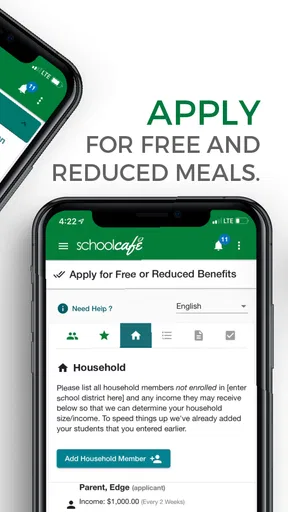
SchoolCafé is a school-services platform that helps families manage meal accounts and access other district-provided services in one place. Depending on your school district, you may be able to view cafeteria menus, check account balances, add money, review purchases, apply for meal benefits, and receive notifications. Available features can differ by district, so the app may offer more or fewer tools in your area.
How do I create a SchoolCafé account and connect my child’s school information?
To get started, download SchoolCafé and create an account using the requested personal information and a valid email address. After signing in, search for your school district and follow the instructions to add a student, usually by entering details such as the student’s name, ID number, or date of birth. The exact verification process varies, and some districts may require information from school records before the account can be linked.
Can I add money to my child’s school meal account through SchoolCafé?
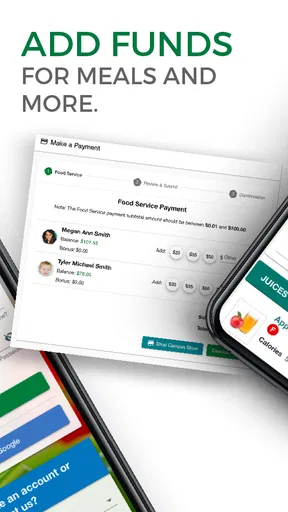
In participating districts, SchoolCafé allows parents or guardians to make online payments toward a student’s meal account. You generally select the student, enter the payment amount, and complete the transaction using an available payment method. Payment options, processing fees, minimum amounts, and posting times may vary by district. Always review the final total carefully before confirming a payment.
Does SchoolCafé let me view menus, purchases, and account balances?
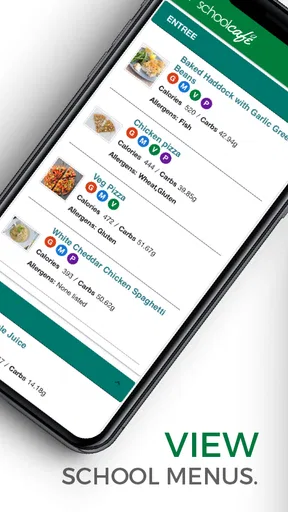
Yes, SchoolCafé commonly provides access to school cafeteria menus and meal-account information, although the exact features depend on the district. You may be able to see current or upcoming meals, account balances, transaction history, and purchases made at school. Menu details and nutritional information can also vary because each district manages its own cafeteria data and updates the information independently.
Is SchoolCafé free, and is my personal information secure?
The SchoolCafé app can generally be downloaded without an upfront charge, but some districts may apply transaction or convenience fees when you add funds or use certain services. The platform handles account and student-related information, so you should use a strong password and download the app only from an official app store. Before registering, review the current privacy policy and your district’s payment terms.


